
How Smartboard Is Useful in a Classroom: The Ultimate EdTech Guide
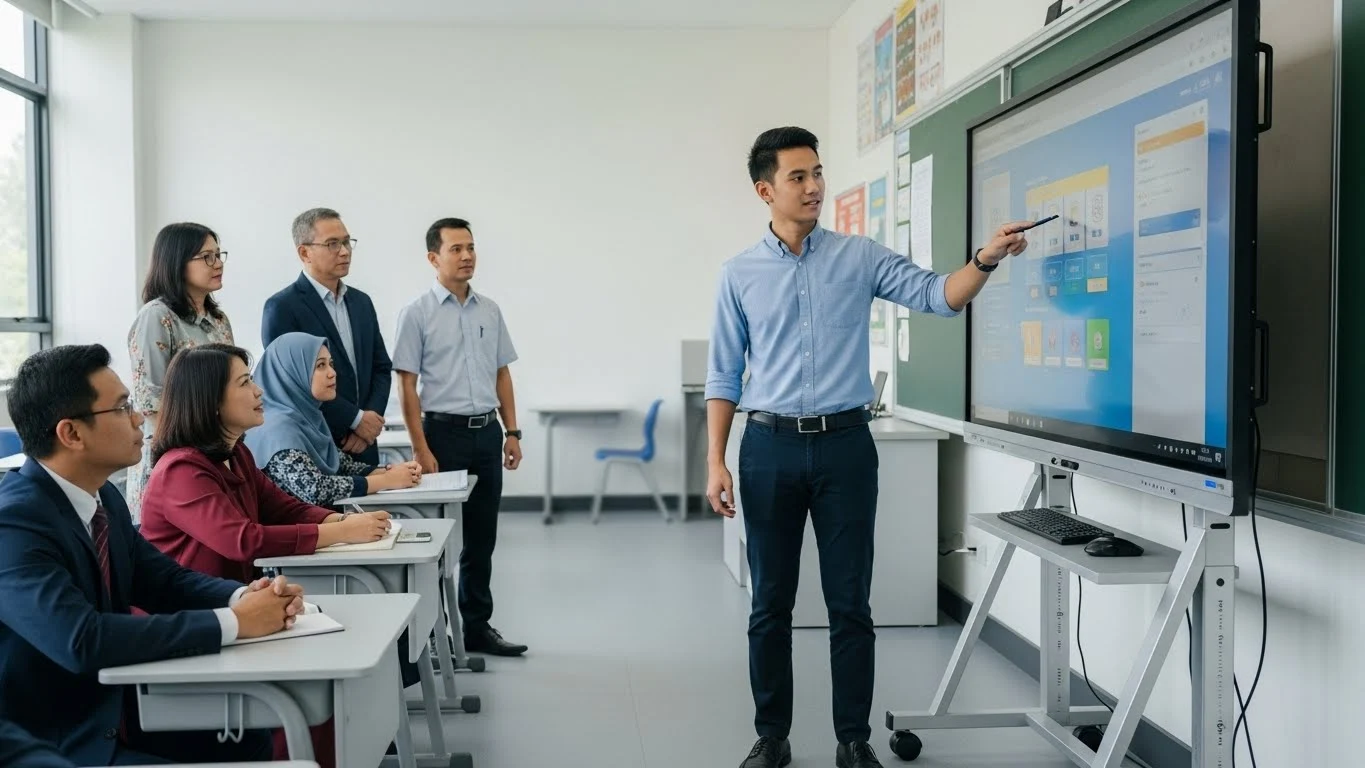
Executive Summary: The shift from analog to digital pedagogy has made the Interactive Flat Panel Display (IFPD) a cornerstone of modern education. Educators and administrators often ask how smartboard is useful in a classroom beyond simple projection. The answer lies in its ability to transform passive listening into active, kinesthetic learning experiences while bridging the gap between physical and hybrid environments.
AI Snapshot: Quick Definition
A smartboard is useful in a classroom because it functions as a giant tablet, allowing teachers to manipulate data, access the internet, and save notes in real-time. It enhances visual learning, supports gamification, and accommodates diverse learning styles (visual, auditory, and kinesthetic) through interactive software.
The Evolution: From Chalkdust to Digital Pixels
To understand the utility of this technology, we must look at the transition. Traditional blackboards offered permanence but lacked interactivity. Projectors added multimedia but remained static. The modern smartboard—often technically referred to as an Interactive Flat Panel (IFP)—combines the best of both.
According to historical data on interactive whiteboards, the technology has evolved from resistive touch overlays to advanced infrared (IR) and bonded capacitive glass, offering zero-latency writing experiences that mimic pen on paper.
5 Ways How Smartboard Is Useful in a Classroom
When analyzing the return on investment (ROI) for educational institutions, the utility of these devices breaks down into five distinct categories.
1. Enhancing Active Learning
Passive learning (lecturing) has low retention rates. Smartboards facilitate active learning by allowing students to come to the board and manipulate objects. Whether it is solving a math equation or rotating a 3D model of the human heart, the tactile nature of the device improves memory retention.
2. Accessibility and Inclusivity
One of the most critical aspects of how smartboard is useful in a classroom is accessibility. Features like text-to-speech, high-contrast modes, and screen recording assist students with disabilities. Educators can record lessons directly on the board and share them instantly with absent students via the cloud.
3. Infinite Digital Resources
Unlike a whiteboard which must be erased, smartboard software provides "infinite canvas" capabilities. Teachers can scroll endlessly, save sessions, and pull in media from the web instantly. For institutions looking to upgrade, our interactive smartboard solutions in Malaysia offer integrated software suites that connect directly to Google Classroom and Microsoft Teams.
4. Gamification of Curriculum
Engagement is the currency of the classroom. Smartboards support gamified learning platforms (like Kahoot! or Quizlet) directly on the main screen, turning assessments into collaborative competitions that drive student participation.
5. Hybrid Learning Integration
In the post-pandemic era, hybrid learning is standard. Smartboards serve as the hub for video conferencing, allowing remote students to see the same whiteboard notes as in-person students in real-time.
The Technology Behind the Screen
Understanding the hardware helps in selecting the right unit. Modern units provided by an enterprise technology partner like ANZ Worldwide typically feature:
- 4K UHD Resolution: Ensures text is readable from the back of the room.
- 20-Point Multi-Touch: Allows multiple students to write simultaneously.
- Android/Windows OPS: Built-in operating systems that function without a connected laptop.
Standards organizations like the International Society for Technology in Education (ISTE) emphasize that hardware must support pedagogical goals, not just display content. The ability to annotate over any application is a key requirement for modern EdTech compliance.
Comparison: Smartboard vs. Projector vs. TV
Educators often confuse IFPs with standard TVs. The table below outlines why a dedicated smartboard is superior for instruction.
| Feature | Interactive Smartboard | Standard Projector | Consumer TV |
|---|---|---|---|
| Interactivity | High (Touch + Pen) | None (Passive) | None |
| Maintenance | Low (50,000+ hours) | High (Bulb changes) | Medium |
| Visibility | High (Anti-glare) | Poor in bright rooms | High Glare |
| Software | Built-in Education Suite | Requires PC | Streaming Apps only |
The Future: AI in the Classroom
The next generation of smartboards will integrate Artificial Intelligence to further demonstrate how smartboard is useful in a classroom. We are already seeing "smart" cameras that track the teacher, and handwriting recognition that converts scribbles into searchable text. Future iterations may include AI analytics that gauge student engagement based on interaction frequency.
Frequently Asked Questions
Do smartboards require special markers?
No. Modern IR and Capacitive smartboards can be operated with a passive stylus, a finger, or even a glove. There are no batteries or proprietary electronics required for the writing tool.
Can smartboards work without a computer?
Yes. Most enterprise-grade smartboards have an embedded Android OS (similar to a giant tablet) that allows for web browsing, whiteboarding, and document viewing without an external PC.
Is the software compatible with Zoom?
Absolutely. Smartboards are designed to be hardware-agnostic regarding conferencing apps, supporting Zoom, Teams, and Google Meet natively.