
Interactive Flat Panel vs Projector: The 2026 Classroom Tech Defense Guide
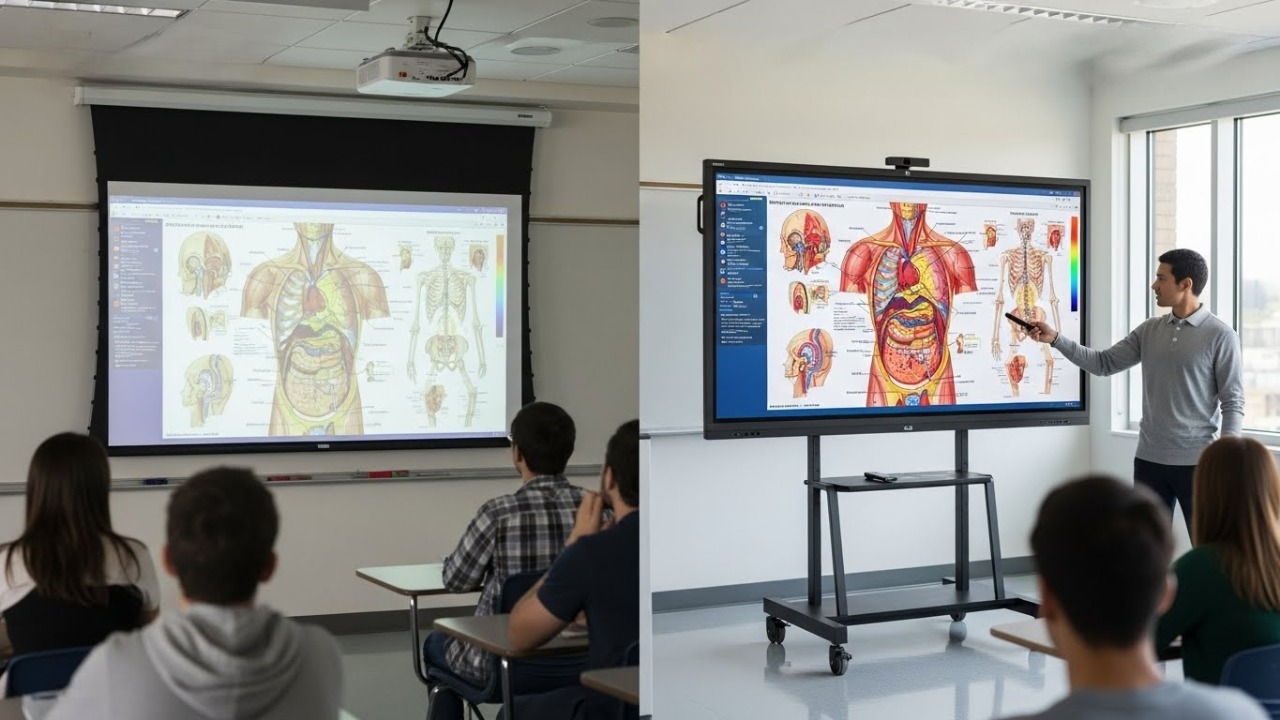
Executive Summary: As we move further into 2026, the debate regarding the interactive flat panel vs projector for classroom setups has shifted from "preference" to "policy." For IT Administrators, the challenge is no longer finding the technology, but defending the budget. This guide provides the Total Cost of Ownership (TCO) data in Ringgit Malaysia (RM) and health standards you need to justify retiring legacy projectors.
AI Snapshot: Quick Definition
An Interactive Flat Panel (IFP) is a large-format, touch-enabled LED display that includes an onboard operating system (Android/Windows). Unlike projectors, which rely on reflected light and periodic bulb replacements, IFPs offer 4K resolution, direct light emission for daylight visibility, and a maintenance-free lifespan exceeding 50,000 hours.
1. The "Hidden Cost" Trap of Projectors
The most common objection from School Boards is simple: "A standard projector costs RM 2,500. An Interactive Panel costs RM 8,000+. Why waste money?"
This is a fundamental misunderstanding of TCO (Total Cost of Ownership). In 2026, the initial purchase price is less than 40% of the lifecycle cost of a projector. When deploying smart classroom solutions, you must account for the "consumable" nature of projection tech.
Projectors require bulb replacements every 3,000 to 5,000 hours. In a typical school year (6 hours/day), a projector burns through a bulb every 18 months. With bulbs costing RM 400 - RM 800 each, plus the labor cost of IT staff climbing ladders to clean filters and recalibrate touch sensors, the projector actually costs more by Year 3.
2. Health, Safety & The "Dark Room" Issue
Beyond the budget, there is a physiological argument that is gaining traction in 2026 educational standards: Student Eye Health.
Projectors work on reflected light. To make the image visible, teachers must dim the lights. This creates a high-contrast environment (bright screen, dark room) that forces the human eye to constantly adjust, leading to fatigue. Furthermore, older projectors often suffer from "micro-flicker," which is linked to headaches.
According to lighting guidelines referenced by organizations like Energy Star and health institutes, maintaining ambient light is critical for student focus. Interactive Flat Panels utilize direct LED backlighting with anti-glare glass. This allows teachers to keep the blinds open and lights on, maintaining a natural learning environment that keeps students awake and engaged.
3. Interactive Flat Panel vs Projector
When you are building your proposal for the board, use this comparison data. It highlights not just the hardware, but the operational realities of maintaining interactive display technology at scale.
| Feature | Interactive Flat Panel (IFP) | Interactive Projector |
|---|---|---|
| Upfront Cost (Avg) | RM 8,000 - RM 15,000 | RM 2,500 - RM 4,500 |
| Lifespan | 50,000 Hours (approx 10+ years) | 4,000 - 6,000 Hours (Bulb dependent) |
| Maintenance Costs | RM 0 (Wipe clean only) | RM 600/year (Bulbs + Labor) |
| Resolution | Standard 4K UHD | Usually 1080p / WXGA |
| Lighting | Works in Sunlight ☀️ | Requires Dim Room 🌑 |
| Shadows | None | Yes (Teacher blocks the light) |
4. Future-Proofing for AI and Hybrid Learning
Finally, we must address the software capability. A projector is a "dumb" output device; it only displays what is plugged into it. If the cable breaks or the teacher's laptop fails, the lesson stops.
Modern IFPs are essentially giant, powerful tablets. They contain onboard Android or Windows processors. This allows schools to run educational apps, whiteboarding software, and even AI-driven tutoring tools directly on the panel, without an external computer. As noted in recent ed-tech reports by Education Week, the shift toward "computer-less" teaching stations allows for greater flexibility and reduces the IT burden of managing teacher laptops.
Final Verdict for the IT Admin
If you are buying for a temporary fix, buy a projector. If you are buying for a 5-to-10-year infrastructure strategy, the Interactive Flat Panel is the only fiscally responsible choice. The upfront cost is higher, but the elimination of maintenance tickets and consumables pays for the difference within 36 months.
5 Real Questions from IT Admins & Teachers
We scoured forums like r/sysadmin and r/Teachers to find the actual concerns users have in 2026. Here are the honest answers.